
Choose a greeting that includes everyone, use names and titles thoughtfully, and make it clear who needs to act.
You have an email ready to send to two clients, three colleagues, or a committee you have never met. Then the greeting stops you. Should every person be named? Does the most senior person come first? Is “Hi all” too casual?
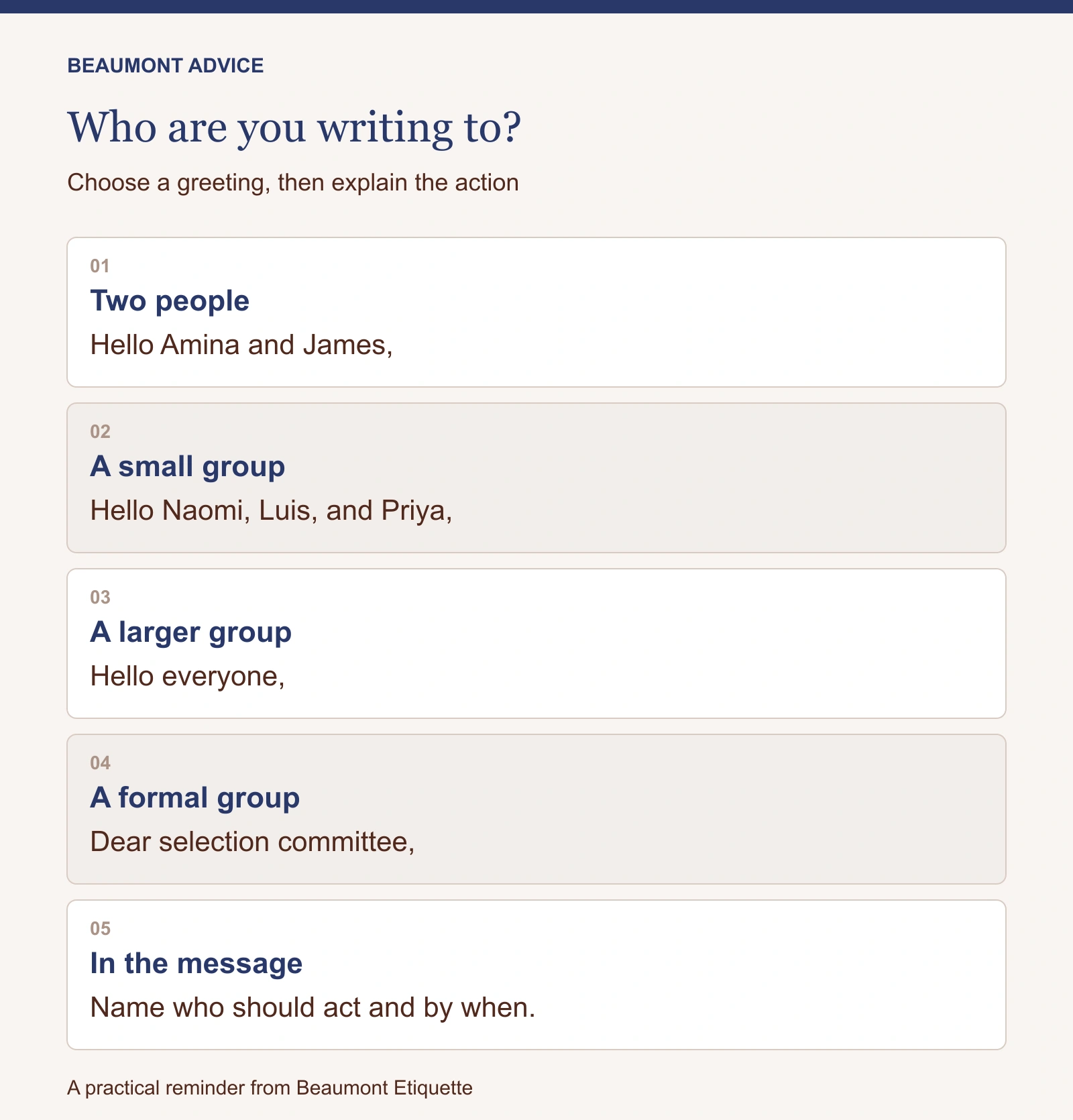
For two or three people, naming each recipient is usually a clear, personal choice: “Hello Maya and Daniel,” or “Dear Dr. Chen, Dr. Ahmed, and Professor Lewis,” depending on the setting. For a larger group, use an accurate collective greeting such as “Hello everyone,” “Dear project team,” or “Dear selection committee.”
The best opening suits the relationship and includes everyone who is meant to participate. After that, the body must explain why the group is receiving the message and who, specifically, needs to respond.
Start with the relationship and purpose
“Dear” is a useful formal opening for first contact, ceremonial correspondence, applications, or messages to people whose conventions you do not yet know. “Hello” works across many professional settings. “Hi” can suit an established, friendly working relationship.
These are choices, not a universal ladder of respect. A company where everyone uses first names may find “Dear Mr. Patel and Ms. Green” unexpectedly distant. A formal committee may prefer it. Review the correspondence you have received and match the level of formality without copying careless habits.
If you are uncertain, “Hello” plus correctly spelled names is a practical starting point. You can become more familiar as the relationship develops. A friendly greeting does not remove the need for a clear subject, concise request, or thoughtful timing.
Two recipients: name both
Addressing two people directly takes little space and avoids making one person appear secondary.
“Hello Amina and James,”
“Dear Dr. Okafor and Dr. Walsh,”
“Good morning, Sofia and Ren,”
Use equivalent treatment when the recipients have equivalent roles. Avoid a greeting such as “Dear Dr. Morgan and Alex” if both are doctors and you have no reason to address them differently. If their expressed preferences genuinely differ, those preferences can guide you.
There is no need to guess gender or marital status from a name, photograph, or email address. When a title is uncertain, use the person’s full name: “Dear Jordan Ellis and Casey Martin.” Preserve accents, hyphens, spacing, and the spelling people use themselves.
If the email concerns one person’s decision and the other person’s support, you can still greet both equally and explain their roles in the body. The greeting should welcome people; it should not carry the entire responsibility map.

Three or four recipients: names or a group greeting?
Three names can read comfortably in most emails. Four may still work, especially when the message is personal or the people have different roles. Read the line aloud. If the list feels longer than the message, a group greeting may serve everyone better.
“Hello Naomi, Luis, and Priya,”
“Dear interview panel,”
“Hello everyone,”
Choose a collective description only if it is accurate. “Team” may suit colleagues working toward a shared result. It can feel presumptuous when addressing unrelated suppliers, external reviewers, or people who do not work together. “Everyone” does not imply a relationship they have not agreed to.
Avoid addressing a mixed group as “Gentlemen” or “Ladies” unless that wording is appropriate to the specific group and occasion. A neutral greeting is usually easier and removes unnecessary assumptions.
Decide the order without creating a puzzle
For peers, alphabetical order or the order already used in the conversation is usually a sensible convention. For a message centered on one person’s request, naming that person first can be logical. In formal institutional, diplomatic, or ceremonial settings, follow the organization’s protocol.
Most ordinary business email does not require a ranking exercise. You do not need to rearrange three colleagues according to age, gender, or assumed social standing. Consistency and accuracy generally matter more than a hidden hierarchy.
If someone has introduced you to two people, use the names as given, then check signatures for preferred forms of address. When a recipient corrects a title or name, acknowledge the correction briefly and use it going forward. Repeatedly using the wrong name causes more difficulty than choosing an imperfect greeting once.
A greeting and a recipient list do different jobs
The greeting establishes tone. The To and Cc fields help people understand why they are included. A useful working convention is to put people expected to act or participate in To, and people who need awareness in Cc. Organizations use these fields differently, so follow a stated team convention where one exists.
Being copied does not automatically tell someone whether a reply is expected. Explain the reason in the message:
“Maya, could you confirm the final date by Thursday? Daniel, I have copied you so you have the timing for the venue booking.”
For a group task, name the owner of each action:
“Priya, please review the budget. Luis, please confirm the speaker list. Naomi, no action is needed from you yet; I am sharing the current version for context.”
“Can someone take care of this?” often leaves everyone wondering whether somebody else is doing it. Specific ownership makes a group email more courteous because readers can quickly identify their part.
Use Bcc thoughtfully
Microsoft describes Bcc as a way to send someone a copy without showing that recipient’s name to the other recipients. It can be useful when writing to people who do not need to see one another’s email addresses. A distribution announcement to unrelated contacts is different from a working conversation among colleagues.
For a message sent individually to a wider audience, use “Hello everyone” or another suitable greeting and explain how replies should be handled. Consider a proper mailing system for ongoing newsletters rather than managing a large list in ordinary email.
Bcc does not prevent a recipient from forwarding a message, taking a screenshot, or revealing their involvement through a reply. It is not a confidentiality guarantee. For sensitive information, follow your organization’s security and privacy procedures.
Secretly copying a manager into a tense exchange can damage trust. If escalation is needed, use an appropriate, transparent process rather than treating an email field as a substitute for a difficult conversation.

Writing to a client and colleagues together
When internal and external readers share a message, use an opening comfortable for everyone. Include enough context for the client and remove internal shorthand that could exclude them.
“Hello Leila, Marcus, and team,
Thank you for today’s discussion. I am sharing the revised schedule so everyone has the same dates. Leila, could you confirm your preferred review session by Wednesday? Marcus will then send the meeting invitation.”
If “and team” obscures who is involved, name the small group or use “Hello everyone.” Before adding someone new to a thread, check whether the earlier messages contain comments or information they should not receive. A fresh email with a clear summary can be better than forwarding a long history.
Introduce new participants briefly: “I have included Rosa, who will coordinate delivery.” This saves others from guessing at an unfamiliar address and makes the new person’s role visible.
Replying to a group without creating more work
Use Reply All when your answer is useful to the full group. Reply only to the relevant person when the message concerns a private detail, an individual scheduling constraint, or a question that does not affect everyone else.
If you remove recipients, consider saying so where it helps: “I am taking the room-booking details into a separate message with Sam.” This prevents confusion about decisions made outside the main conversation.
In a quick exchange, you do not need a full salutation in every response. A short “Thank you, Priya” can be enough. When a thread restarts after a long pause, changes subject, or gains new participants, restore the context and greeting.
What if you left someone out?
A simple correction is usually enough:
“Apologies, Ren, I omitted your name from the greeting. This update is for all three of you.”
If you missed a recipient entirely, add them with a useful summary rather than sending an unexplained forward. If you accidentally sent information to the wrong person, follow the relevant workplace process promptly. Etiquette can guide the tone of your response; it cannot replace the action required for a privacy or security incident.

A final check before sending
Read the names against the actual recipient list. Confirm spelling and titles. Check that the collective greeting describes everyone fairly. Then look beyond the first line: does each person know why they are included, what is expected, and when it is needed?
For example, “Hello everyone, please see attached” leaves the group with work to interpret. “Hello everyone, please review the attached agenda before Tuesday. Only speakers need to send changes” makes the purpose clear.
Before sending, make one final check that each requested action has an owner and a date. A thoughtful opening and a specific next step make it easier for people to respond well.
Practice communication with confidence
Explore Beaumont’s Corporate Training for practical team instruction that can include email communication and professional presence. Founded by etiquette expert Myka Meier, Beaumont offers training shaped around an organization’s needs.